AnimateGL · Version history
AnimateGL changelog and version history
- Latest version
- 1.7.0
- Oct 31, 2026 (8 days ago)
- Releases
- 70
- since 2023
- In the last year
- 4
- about one every 5 days
- Tested up to
- WordPress 7.1.4
- PHP 7.4 or later
Releases each year
- 202365 releases
- 20251 release
- 20264 releases
20264 releases
AnimateGL 1.7.0Latest
- New: Eight more free CSS animations, each with four directions: Blur (sharpens as it fades in), Focus (sharpens as it settles from a little larger), Flip (turns in from edge on), Fold (swings out on a hinge at one edge), Rotate (spirals in, or turns or swings on a corner), Roll (rolls in from the s…
- New: Count-up numbers, free. Turn on “Count up the numbers” for any block or Elementor element and each number in it counts up from 0 when it scrolls into view, or with its entrance, and ends as written: 1,250, 98.6% or 1.200,50 keep their separators and decimals. As the class agl-count. Visitors w…
- New: Typewriter text, free. Turn on “Type out the text” for any block or Elementor or Bricks element and its text is typed a character at a time behind a caret when it scrolls into view, or with its entrance. Links and formatting are kept, nothing moves while it types and screen readers read the wh…
- New: Bricks builder support. Every Bricks element has an AnimateGL group in its Style tab with the entrance animation, its direction, duration, delay, distance and easing, and the hover and scroll effects. Preview the page to see them play
- New: Divi 5 support. Every Divi section, row and module has an AnimateGL group in its Advanced tab with the entrance animation, its direction, duration, delay, distance and easing, and the hover and scroll effects. Preview the page to see them play
- Fix: On phones, WebGL animations and effects could trail a little behind the page while it scrolled, most visibly in a page shown inside another (an iframe). The WebGL drawing is now moved, placed and drawn in the same frame as the page
- Fix: A WebGL animation locked to the scrollbar whose block came on screen in one jump (a link to an anchor, a fast fling) stayed blank until the page scrolled again
- New: A Settings tab on the AnimateGL page with the WebGL canvas’s z-index (999 by default), for sites where an animating block covered a fixed header or banner. Also as the –agl-canvas-z-index custom property on the html element and the animategl_canvas_z_index filter
AnimateGL 1.6.0
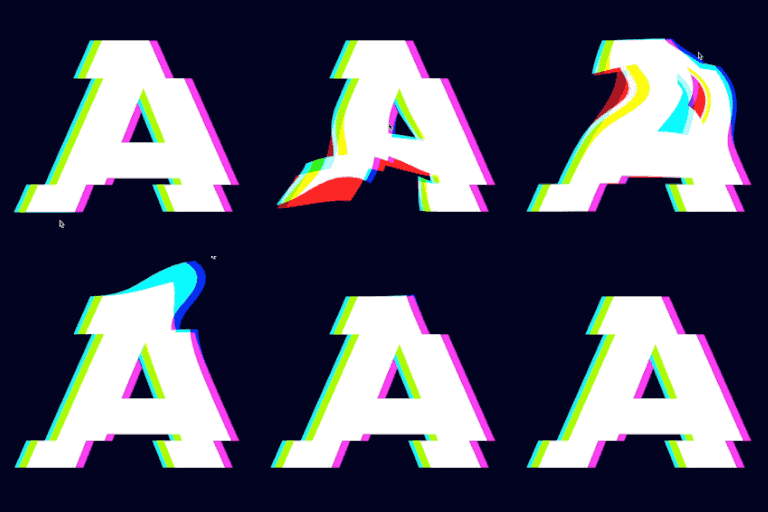
- New: Glitch, a WebGL entrance: the block arrives in bursts, bands jumping sideways and its colours splitting, and settles. As the class agl-glitch. A plain fade under reduced motion
- Improvement: New plugin name, AnimateGL – WebGL & CSS Scroll and Hover Animations for Gutenberg and Elementor
- New: More easings for every animation, in the block sidebar, Elementor and the class builder: Elastic, Bounce, three springs (soft, bouncy and stiff, which set their own duration), Steps, and Overshoot in and in-and-out. WebGL animations follow an overshoot too (agl-in-easing-easeOutElastic, agl-in…
- New: Free hover effects Lift, Grow and Tilt, and the Skew scroll effect, for any block or Elementor element. Try them live in the Animations tab, which now links to animategl.com for the Pro effects instead of bundling their clips
- Improvement: WebGL animations on text and other elements that aren’t images take their snapshot with html2canvas-pro, the maintained successor of html2canvas, in place of our patched html2canvas 1.4.1. Modern CSS colors such as oklch() and color-mix() are drawn as the page shows them, images with o…
- New: Elementor 4’s atomic elements (Div block, Flexbox, Heading, Paragraph, Image and the rest, the default on sites that installed Elementor 4.0 or later) have the AnimateGL settings in their panel
- Improvement: WebGL animations on text and other elements that aren’t images take their snapshot a screen before they scroll into view, in idle time, so the animation starts without a pause, and don’t take it again on every frame while the page scrolls
- Fix: A WebGL animation on text or a card could end a device pixel away from where the element is drawn, so the element shifted when it came back, and its text looked a little bolder or thinner while it animated; the fade animations also left light areas too bright until they ended
- Fix: On a Mac, WebGL animations on text looked bolder than the page’s text on sites whose theme uses -webkit-font-smoothing: antialiased (many do). The snapshot’s text is now drawn with the same smoothing in Chrome and Firefox, and thinned to match in Safari (the snapshot is now taken on a canvas o…
- Fix: html2canvas, which takes the snapshot for WebGL animations on text, is loaded with the plugin’s version, so browsers and CDNs take the new copy after an update instead of keeping the old one for a month
- Fix: A WebGL animation on an image or a block with an image could blink out for a moment as it ended, before the image came back (in Chrome, mostly with WordPress’s decoding=”async” images). The WebGL frame now stays until the image is decoded and painted, drawn exactly at the animation’s end and p…
AnimateGL 1.5.0
- Improvement: The Fade animation (all directions, and the Default animation) is drawn with CSS instead of WebGL. It looks the same, starts sooner, keeps text exactly as the page shows it, and works with modern CSS colors. Add the class agl-webgl to an element to keep WebGL
- Fix: WebGL animations of an element in a grid or flex layout jumped to another size when they ended
- Improvement: Faster pages with only CSS animations: the WebGL part of the runtime (js/lib/animategl.webgl.min.js) now loads only on pages with a WebGL animation
- Improvement: WebGL animations use far less graphics memory (shared render targets, drawn at most at 2x pixel density), stop drawing when nothing moves, recover from a lost WebGL context, and let go of animated elements removed from the page
- Improvement: WebGL animations start sooner on pages with several of them: elements with the same effects share one compiled shader program
- Fix: An element removed from the page in the middle of its WebGL entrance, and put back before it ended, stayed hidden until then
- Fix: Picking another animation for a block while its entrance played (in the block editor, or with a class change) didn’t play the new one, could leave the block hidden or scaled, or leave the WebGL copy drawn over it
- Improvement: WebGL animations keep working when an optimization plugin (WP Rocket, LiteSpeed Cache, Autoptimize and others) moves, renames or combines the AnimateGL script, and an element whose WebGL part can’t load is shown without the effect
- Improvement: Add-on presets (Entrance Pack, Fade Pack) work whichever order the scripts load in, also when an optimization plugin moves them, and are listed once
- Fix: The agl-animation-start event was missing for an entrance whose first frame came after its end (short durations on slow devices)
- New: Preview animation button in the block editor plays the selected block’s animation
- New: Picking an animation or a direction in the block editor plays it right away
- New: AnimateGL controls in the block toolbar of image blocks, whose sidebar opens on the Content tab, and of blocks inside locked patterns and block theme templates, where the sidebar hides the AnimateGL panel
- Improvement: Block editor panel: the animation list is grouped into CSS and WebGL (and My animations), “Default” is now “Site default” and shows only the controls that apply to it, the fade variants have readable names, the direction list is left out when there is one, and the controls use the curr…
- New: Respects the reduced motion accessibility setting
- New: Content stays visible without JavaScript, and when the animation script can’t load
- New: Readable source of every script is included in the plugin
- New: NOTICES.md lists the third-party libraries and their licences, and each script names the ones it includes
- Improvement: Scripts load deferred, in the footer
- Improvement: Block editor controls rebuilt with current WordPress tooling, and fully translatable
- Improvement: Animation classes no longer replace a block’s other classes in the editor
- Improvement: The text domain is now animategl, so translations from translate.wordpress.org apply
- Improvement: Updated the Freemius SDK to 2.13.4
- Developers: New hooks for add-ons: animategl_block_attributes, animategl_block_classes, animategl_runtime_dependencies, animategl_elementor_controls, animategl_elementor_classes, animategl_admin_tabs and animategl_admin_tab_content in PHP; animategl.classes and animategl.panel in the block editor.…
- Fix: Animated elements inside content added after the page loads (sliders, AJAX loaders, infinite scroll) now animate, not only ones added on their own
- Fix: An image cropped to its block (for example with an aspect ratio set, or object-fit: cover) was drawn stretched during a WebGL animation, then jumped to its real crop when the animation ended
- Fix: Elements with rounded corners (border-radius) were drawn with square corners during a WebGL animation
- Fix: Hover and scroll effects from add-ons showed an image with a WebGL fade entrance slightly faded
- Fix: Text with a WebGL animation could be drawn too low and cut off at the bottom while it animated, on themes that style images as blocks
- Fix: Blocks with modern CSS colours (color-mix(), oklch(), lab()), such as separators and post dates in Twenty Twenty-Five or tables in Ollie, showed without their WebGL animation
AnimateGL 1.4.25
- Fix: Block editor didn’t load on WordPress 7.1 (“Cannot read properties of null (reading ‘appendChild’)” in animategl.min.js)
- Fix: Animated blocks were invisible in the block editor
- Fix: Dynamic blocks failed with “Invalid parameter(s): attributes”, and didn’t animate on the front end
- Fix: PHP warnings and editor errors with Elementor 3.26 and later
- Fix: An element with a WebGL animation could stay hidden if the WebGL renderer failed to load
- Change: Animations no longer play inside the block editor, only on the front end. Running them in the editor made it crash on WordPress 7.1.
- Tested with WordPress 7.1
20251 release
AnimateGL 1.4.24
- Security: Only administrators can save AnimateGL settings. The settings AJAX action no longer accepts requests from logged-out users and checks the manage_options capability.
202365 releases
AnimateGL 1.4.23
- Fix: CSS animation repeat
AnimateGL 1.4.22
- Fix: WebGL animation not working before scroll
AnimateGL 1.4.21
- Improvement: Performance improvements
AnimateGL 1.4.20
- Improvement: Performance improvements
AnimateGL 1.4.19
- Improvement: Better performance for Lock to scrollbar animations
AnimateGL 1.4.18
- Fix: Updated Freemius SDK to 2.5.10 to fix a vulnerability in Freemius SDK <= 2.5.9
AnimateGL 1.4.17
- Fix: Increasing viewport height in Safari
AnimateGL 1.4.16
- Improvement: Faster WebGL animation loading time
AnimateGL 1.4.15
- Improvement: Admin page Animation editor
- Improvement: Element entrance animation trigger changed to 70% or 200px of element is in viewport
AnimateGL 1.4.14
- Fix: Cache busting for scripts
AnimateGL 1.4.13
- Fix: Animations not working on front end
AnimateGL 1.4.12
- Improvement: Play entrance animation when 70% of element enters the viewport
- Improvement: WebGL Zoom In animation
- New: WebGL Zoom Out animation
AnimateGL 1.4.11
- Fix: Animations of elements with background-attachment: fixed
AnimateGL 1.4.10
- Improvement: WebGL flip animations.
AnimateGL 1.4.9
- New: Presets in Animation Editor.
- Fix: Animation editor bugs.
- Improvement: WebGL stretch, bend, fade animations.
AnimateGL 1.4.8
- New: Animation Distance option.
- Improvement: WebGL Fade animations.
- Improvement: Reset animation direction when animation name changes.
AnimateGL 1.4.7
- Fix: WebGL Fade shader.
- New: Support for Entrance Fade pack.
AnimateGL 1.4.6
- Improvement: Admin page Entrance Presets sorted by type.
- Fix: CSS animations Fade and Slide.
AnimateGL 1.4.5
- Fix: Progress in Animation editor not working.
- New: CSS animation type in Animation editor.
AnimateGL 1.4.4
- Improvement: Added tabs Support and Addons to Admin page.
AnimateGL 1.4.3
AnimateGL 1.4.2
AnimateGL 1.4.1
AnimateGL 1.4
AnimateGL 1.3.9
AnimateGL 1.3.8
AnimateGL 1.3.7
AnimateGL 1.3.6
AnimateGL 1.3.5
AnimateGL 1.3.4
AnimateGL 1.3.3
AnimateGL 1.3.2
AnimateGL 1.3.1
AnimateGL 1.3
AnimateGL 1.2.12
AnimateGL 1.2.11
AnimateGL 1.2.10
AnimateGL 1.2.9
AnimateGL 1.2.8
AnimateGL 1.2.7
AnimateGL 1.2.6
AnimateGL 1.2.5
AnimateGL 1.2.4
AnimateGL 1.2.3
AnimateGL 1.2.2
AnimateGL 1.2.1
AnimateGL 1.2
AnimateGL 1.1.7
AnimateGL 1.1.6
AnimateGL 1.1.5
AnimateGL 1.1.4
AnimateGL 1.1.3
AnimateGL 1.1.2
AnimateGL 1.1.1
AnimateGL 1.1
AnimateGL 1.0
AnimateGL 1.0.9
AnimateGL 1.0.8
AnimateGL 1.0.7
AnimateGL 1.0.6
AnimateGL 1.0.5
AnimateGL 1.0.4
AnimateGL 1.0.3
AnimateGL 1.0.2
AnimateGL 1.0.1
Questions about AnimateGL’s releases
What is the latest version of AnimateGL?
1.7.0, released on Oct 31, 2026 (1 week ago). It’s tested up to WordPress 7.1.4 and needs PHP 7.4 or later.
How often is AnimateGL updated?
4 releases in the last year, about one every 5 days. Its first release on WordPress.org dates from February 2023.
Know when your rivals ship
Track your plugin and its rivals: TrackWP sees each new release in the nightly snapshot and alerts you, with what it did to their rank.
Start freeRelease dates come from the day each version’s folder was made in AnimateGL’s WordPress.org SVN repository; the notes from its readme’s changelog, as its authors wrote it.