Best line-numbers plugins for WordPress
The most popular line-numbers plugins for WordPress in November 2026, in WordPress.org’s own popular order, which follows active installs. Sticky Copy Button for Code Blocks leads with 50+ active installs, ahead of Vaaky Highlighter (10+). All 2 plugins tagged “line-numbers” are below, with figures from WordPress.org that update every day.
Installs aren’t everything: a recent release, a “Tested up to” that matches the current WordPress, and support threads that get resolved show a plugin is looked after. Open any plugin for its downloads, rank history and alternatives.
Research this niche or see all plugins.
Top 2 line-numbers plugins
- 1.
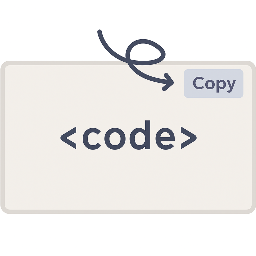 Sticky Copy Button for Code Blocks
The most installed line-numbers plugin, with 50+ active installs. Only 2 reviews so far, updated 1 month ago.
- 2.
 Vaaky Highlighter
10+ active installs. Only 2 reviews so far, updated 5 months ago.
All 2 plugins tagged “line-numbers”
Sticky Copy Button for Code Blocks
Up in the last 7 days:19#20,200by Kasuga1 month ago
Adds a floating "Copy" button to every code block, with extensive styling options, optional line numbers, max-height control, and custom CSS support.
- Installs
- 50+
- Rating
- 4.5(2)
- Downloads
- 0/day
Vaaky Highlighter
Down in the last 7 days:189#29,574by WebHat5 months ago
Lightweight syntax highlighter with code blocks, line numbers, copy-to-clipboard, and 35+ themes. A fast, free alternative to Prism for WordPress.
- Installs
- 10+
- Rating
- 4.5(2)
- Downloads
- 0/day